




Stainless steel zip ties, also called “stainless steel cable ties,” are well known for their strength and reliability to hold everything from wires to tool bundles together in a wide variety of applications. If you are securing cables, bundling items, or organising tools, please make sure to use the correct type of cable tie; however, some people wonder whether they need special tools for stainless steel zip ties. This article will provide an overview of stainless steel zip ties, why special tools are needed to install them, what kinds of tools are available, and how to install stainless steel zip ties in detail.
What Are Stainless Steel Cable Ties?
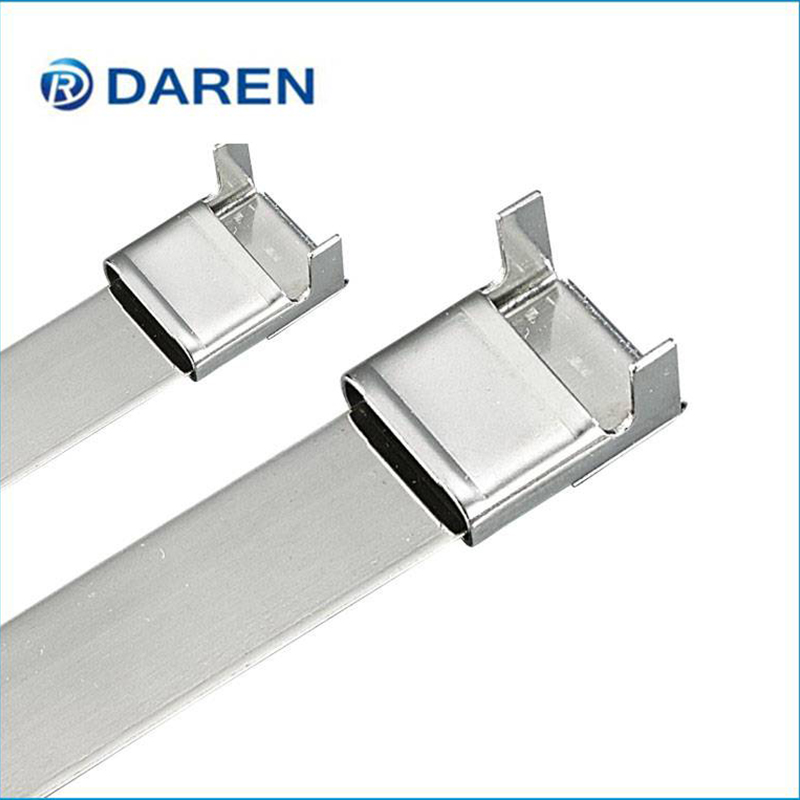
Unlike plastic cable ties, stainless steel cables do not corrode, are heat-resistant, and can withstand other environmental conditions. Because of this, they are suitable for many heavy-duty uses in construction, automotive, marine and the like. Depending on the size and style, there are many options available including plastic-coated stainless steel cable ties and black stainless steel cable ties. They can be used inside or outside, making them a very versatile choice for most applications.
Why Stainless Steel Cable Ties Require Special Tools
Due to the unique strength of stainless steel cable ties, they require different types of tools than their plastic counterparts in order to tighten, secure and cut them properly. Because the strength of the stainless steel cable tie is too high to allow for hand tightening, using special tools is necessary in order to achieve a secure fit without injuring yourself, or damaging either your materials or the cable tie itself. Additionally, using a specialized tool allows you to achieve a consistent tension within the tie, which is often very important in applications that rely on security and reliability.
Types of Tools for Stainless Steel Cable Ties
When using stainless steel cable ties, a few types of tools can enhance the installation process:
Cable Tie Tensioning Device: This is a dedicated device for tightening stainless steel cable ties and provides a way to obtain the perfect amount of tension in a cable tie. It also has the ability to cut off the excess cable tie once the desired tension is achieved.
A manual crimping tool is a way to tighten the ties by using a manual method of application. Although it typically requires greater exertion than using a tensioning tool, those who prefer this method will find it a satisfying way to work.
3. Strap Tensioning Tool: This type of tool serves multiple functions, such as tensioning and cutting straps, but they may also have an additional ergonomic handle for use over a long period of time.
Step-by-Step Installation Guide
Installing stainless steel cable ties correctly is straightforward if you follow these steps:
1. Choose the Appropriate Cable Tie: Select a cable tie that is appropriate for your application based on its size and environment.
2. Prepare Your Space – Make Sure Areas You’re Securing or Bundling are Clean and Free of Debris
3. You must use the tail of the tie to make a loop with the place on the tie’s buckle where it attaches to the tail of the tie to form a loop around whatever items are being secured.
4. Tension the Tie: Using the selected tool, tighten the tie by applying tension to it. If you use a tool that is intended to put tension on the tie, first make sure that it has a proper grip on the tie before you apply any force.
5. Reduced amount of too much material: Trimming excess ties with a manual cutting tool is imperative to avoid having sharp ends on the tie which can become a safety hazard. Automatic tools have built-in mechanisms to cut off excess material during use.
Conclusion
Using stainless steel cable ties involves special installation tools to provide a safe installation; therefore, having access to appropriate equipment for installing and tightening (e.g., tensioning tools and crimpers) will provide you with a solid, dependable hold in your application. Whether you choose to use coated or black stainless steel cable ties, purchasing high-quality tools will provide better results and security for all of your applications.
Post time: Jun-16-2026